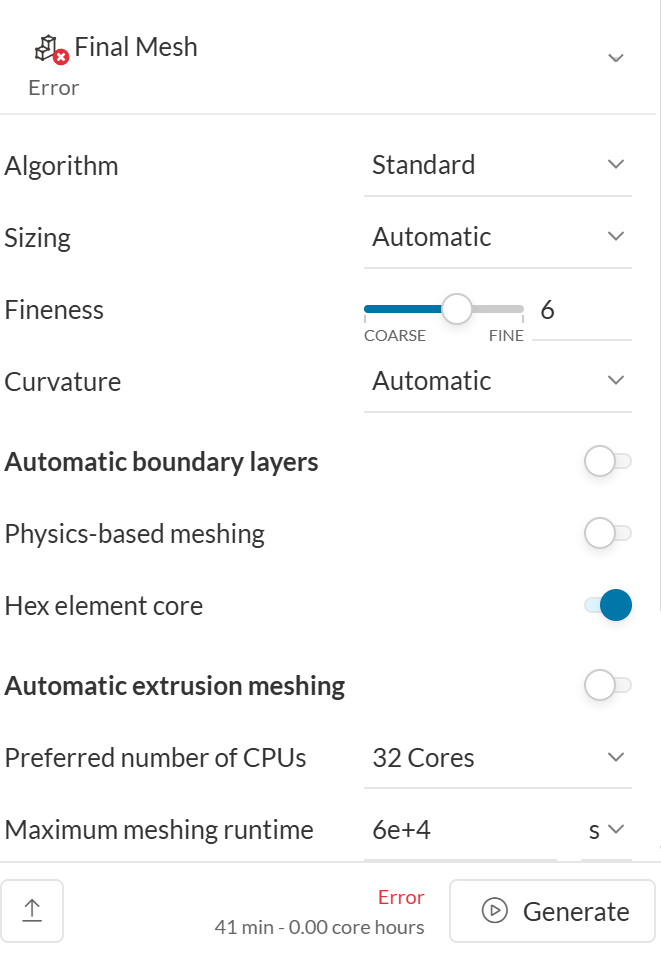
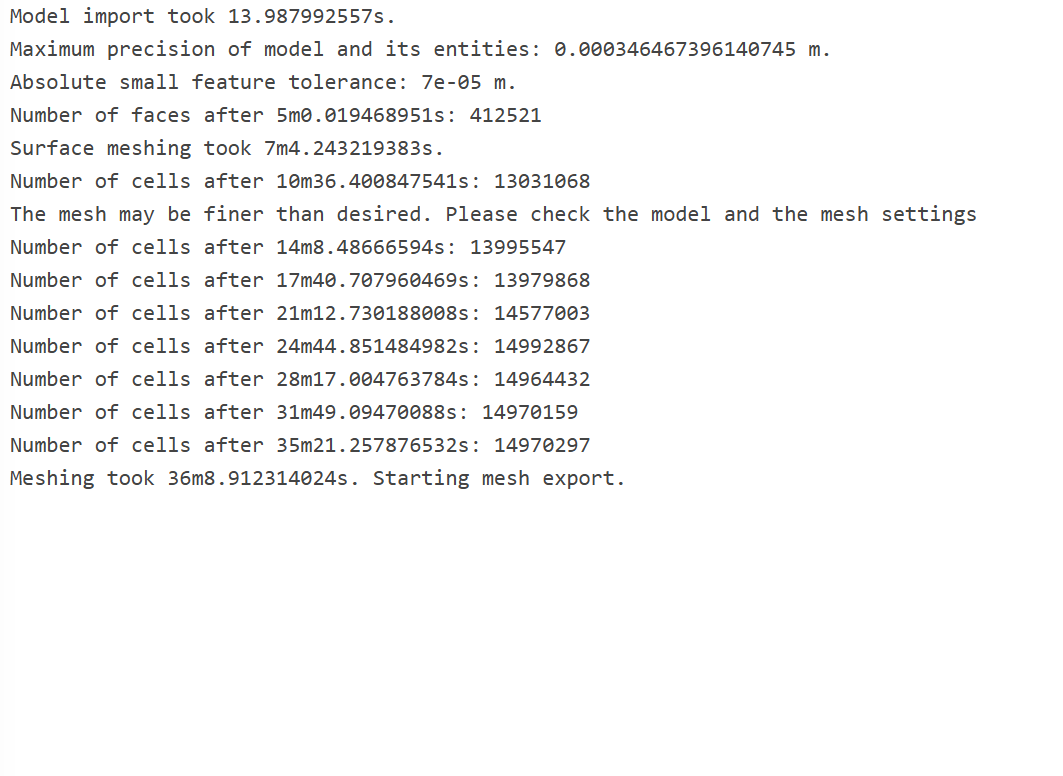
I’m getting a vague error when trying to mesh my FSAE car cornering simulation with an MRF zone. When checking the mesh log it completes generating all faces but stops at the export. My MRF zone is slightly larger than the flow domain and its faces do not intersect the flow domain at all. I’ve had no issue meshing this project without the “cell zone” definition of the MRF zone.
Hi all,
I’ve gotten the MRF zone to be applied to the flow domain by making it slightly smaller in the radial direction than the flow domain. It is the same height as the flow domain and starts at the same position, which is necessary since the car is so low to the ground. My only problem now is the solver diverges, which does not happen in straight simulations with identical meshes.
Hi @wbleier,
Thanks for posting. I see a very tiny gap where your latest run diverged (you can see the divergence location by clicking the displayed coordinates):
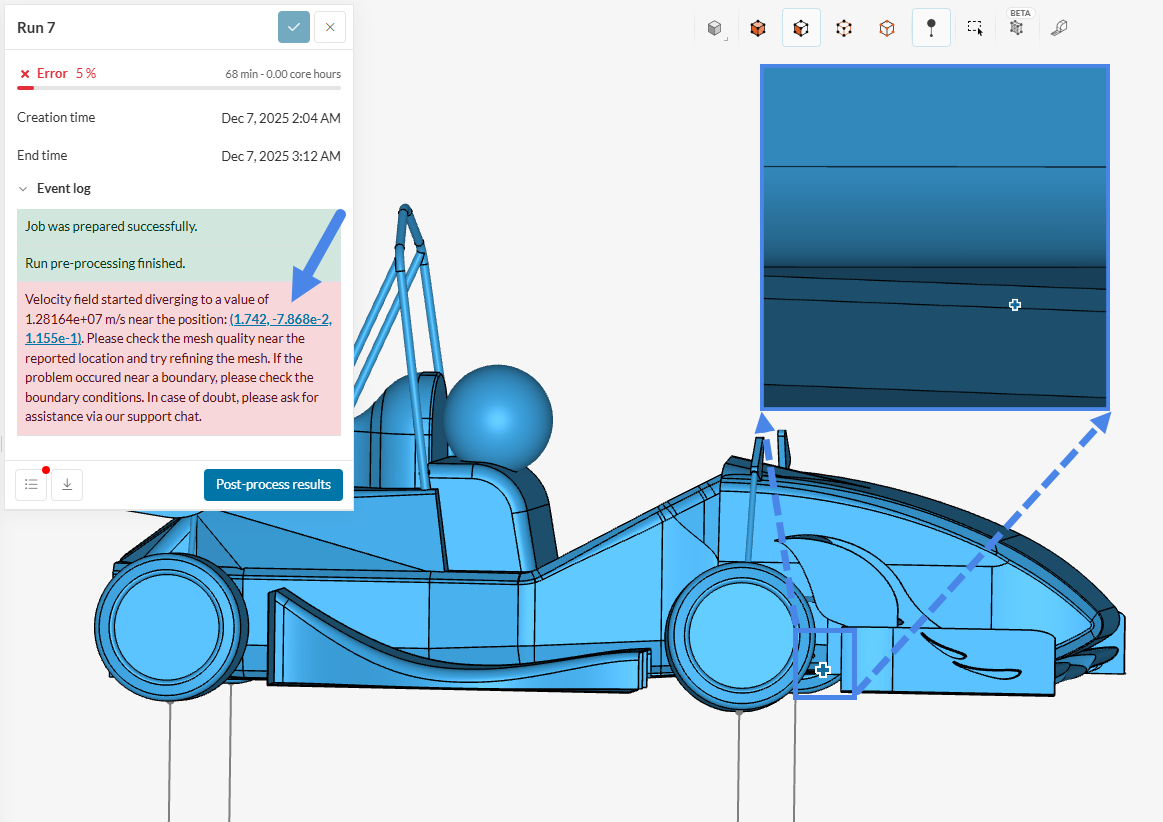
Small gaps are known for causing meshing issues, which in turn lead the simulation to diverge.
I’m also not entirely sure on what you’re trying to simulate – but your fluid domain looks too large given the MRF size, and it’s way too refined for a first attempt (which is also not great since the simulation is diverging). It’s better to get the divergence issue sorted out first before moving on to a large mesh.
These resources tend to be very helpful in divergence situations:
- How to Check Convergence of a CFD Simulation? | SimScale
- Divergence in Simulation: How to Tell When and Where? | SimScale
- How to Check and Improve Mesh Quality | SimScale
Cheers,
Igor
Igor,
I’m trying to simulate the car in a corner, thus the entire flow domain must be rotating, which cannot be accomplished without an MRF zone the same size as the flow domain. The same exact mesh parameters converge for this model in a straight simulation, so I’m not sure how modifying the mesh will change anything. Additionally on previous runs, the simulation diverges at other seemingly random points on the car that are not small gaps.
@wbleier thanks for the reply
I’d say the issue is most likely mesh related. If you open your meshing log, you’ll see that your max non-orthogonality is at 89.9
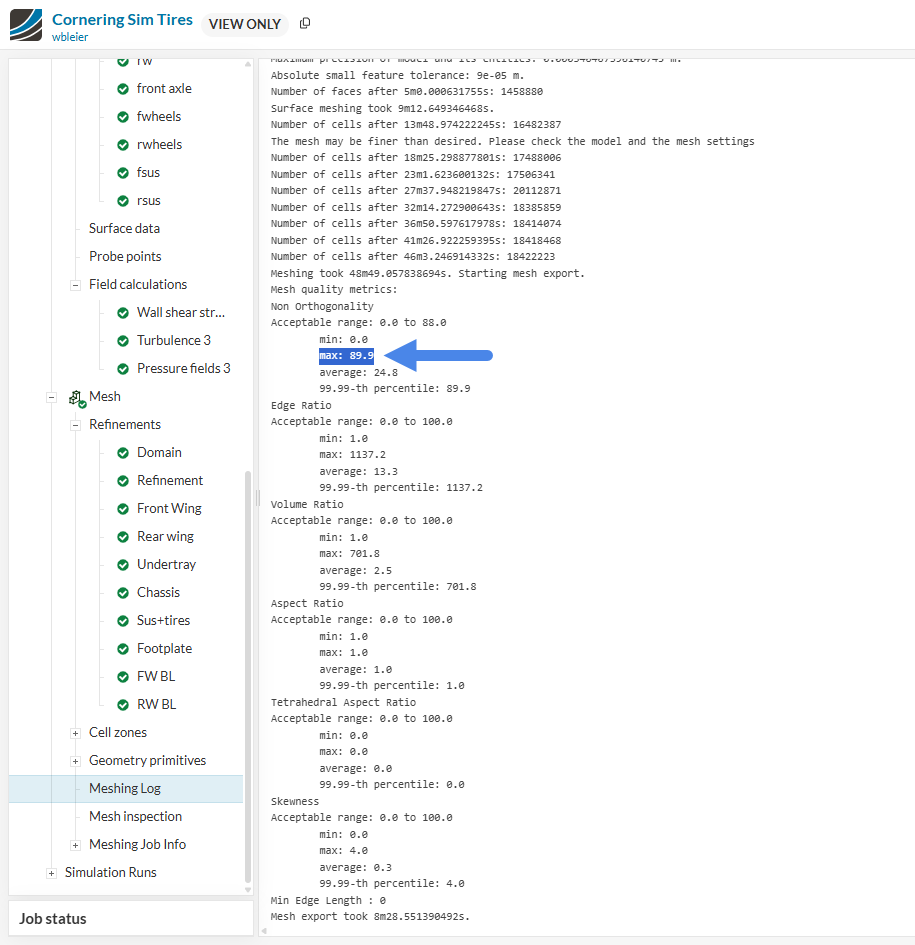
Whereas the recommended range is below 85º (and 85º is still high and could lead to divergence). By opening the Mesh Inspection tool, you’ll see that the faulty elements are close to the point of divergence:
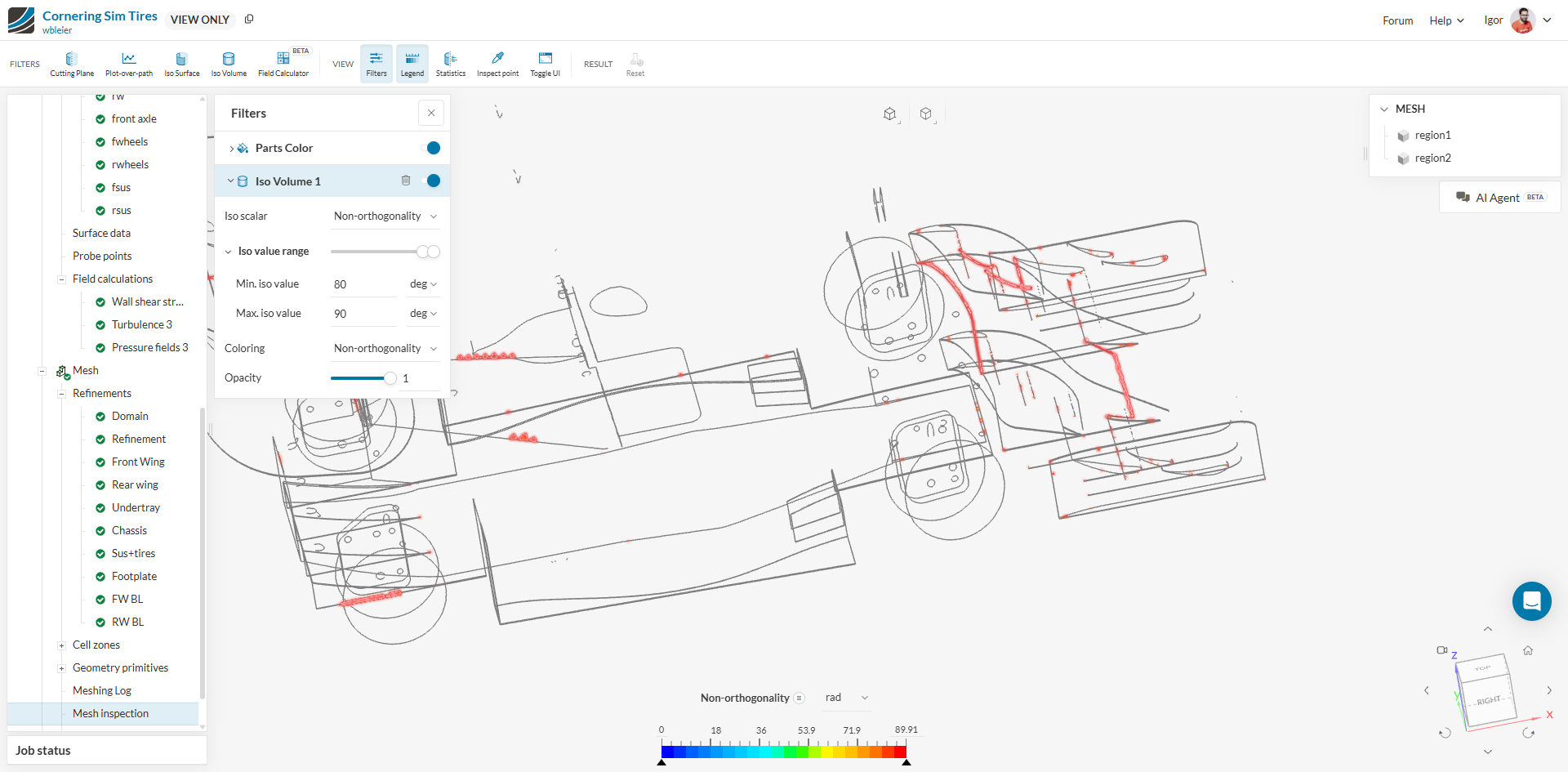
Therefore, I’d recommend that you review the sources I’ve shared in my previous post to enhance the mesh’s quality.
Regarding the rotating zone - got you. However, if you were to reduce the domain radially, I believe you could still get the same effect – and I stress that having a fine mesh for the whole domain is usually counter productive (especially for early iterations), since you’re only concerned with the results close to the racing car.
Cheers!